Get the next scene onto the page
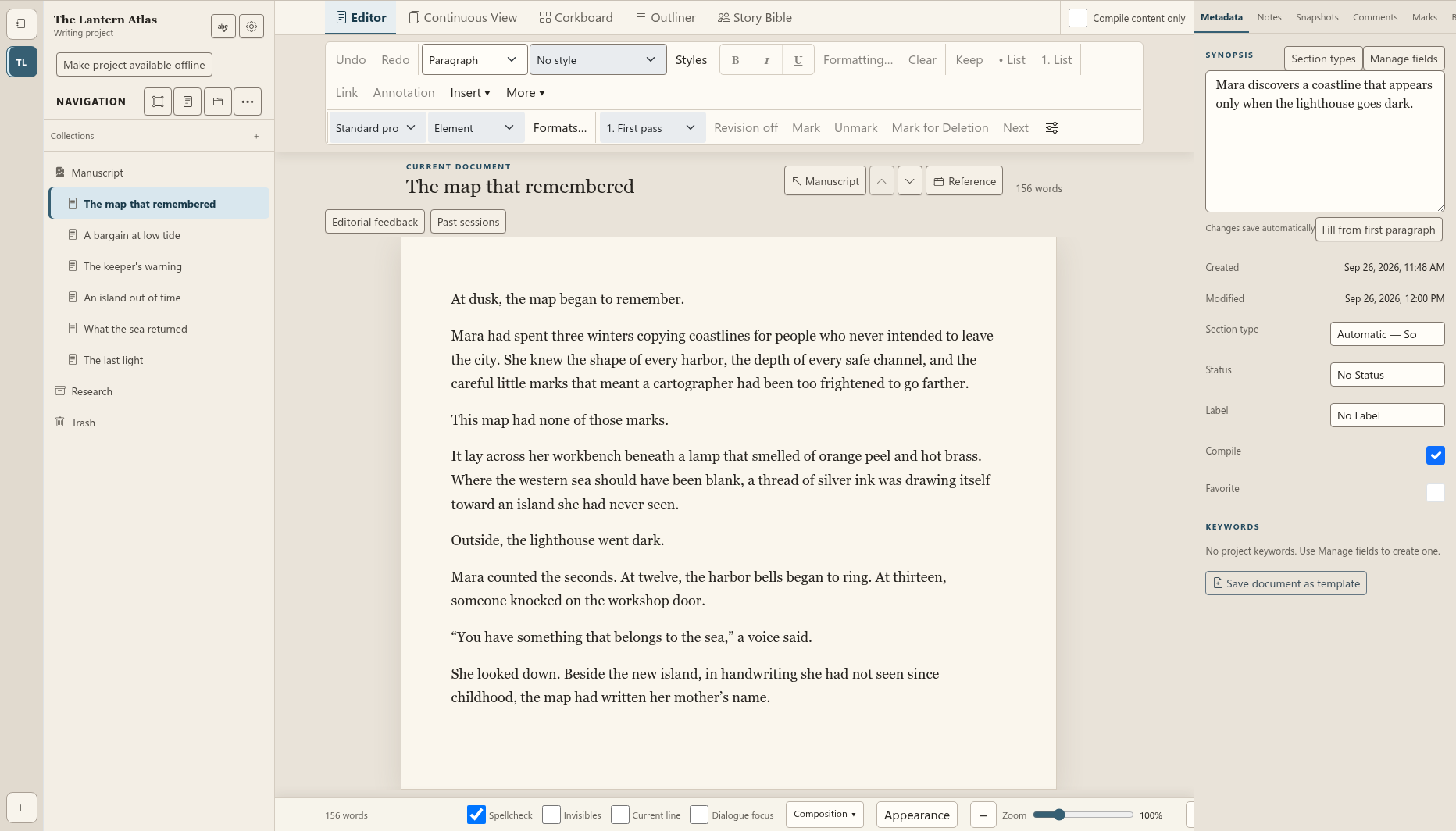
Keep the draft, scene order and synopsis in view. Follow the sentence you are writing without losing the chapter it belongs to.

For writers building a whole book
Write the scene. Shape the story. Keep the characters, turning points and editorial decisions connected to the manuscript—so every writing session moves the book forward.
Prerelease access may require an invitation. No subscription starts here.
A workspace for the whole story
Move between the manuscript, the scene plan and the world behind the story. Your characters and turning points stay close to the work.
Keep the draft, scene order and synopsis in view. Follow the sentence you are writing without losing the chapter it belongs to.
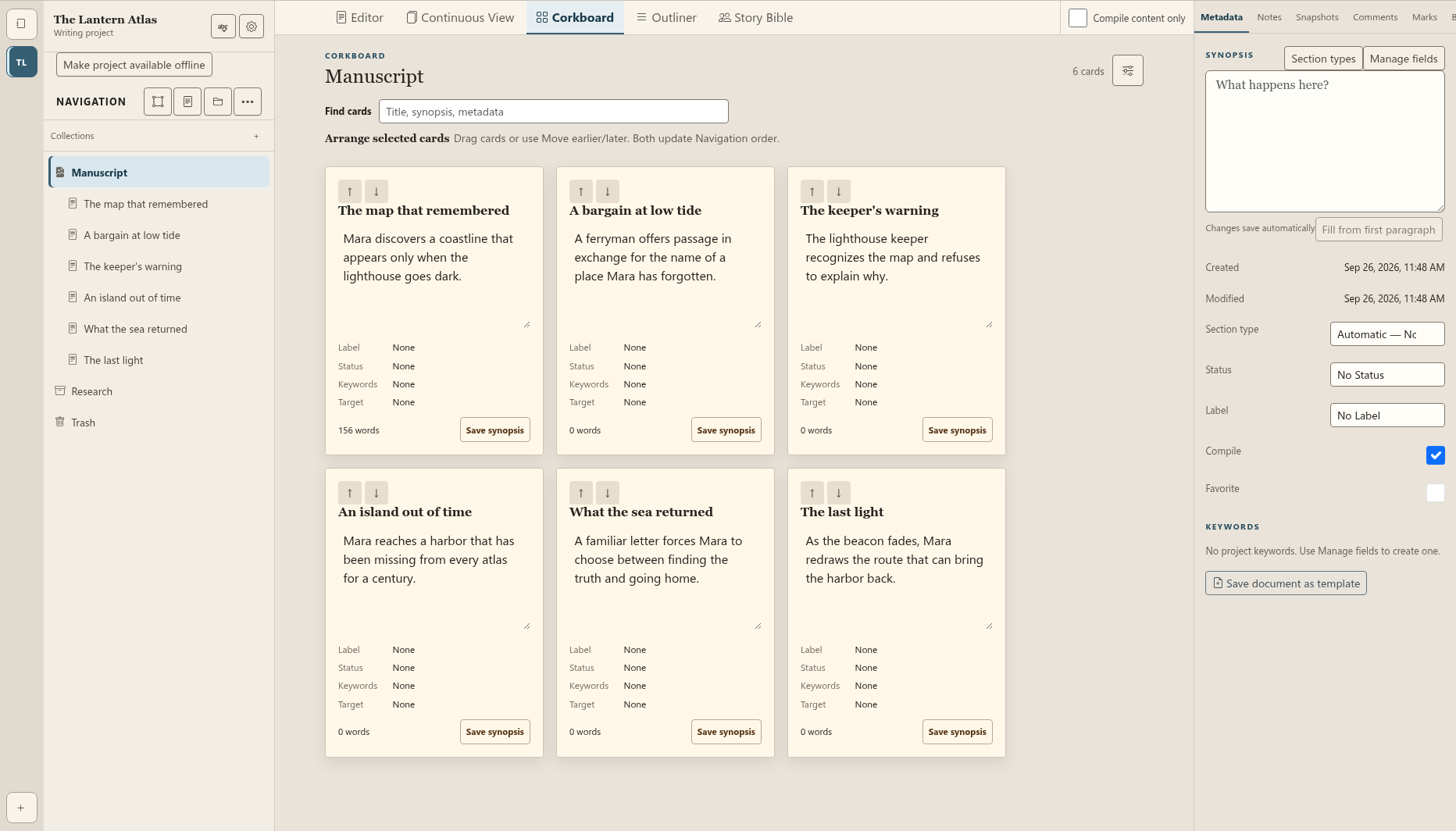
Read the turning points together. Reorder the scenes, find the gap between two moments and give the next draft a clearer direction.
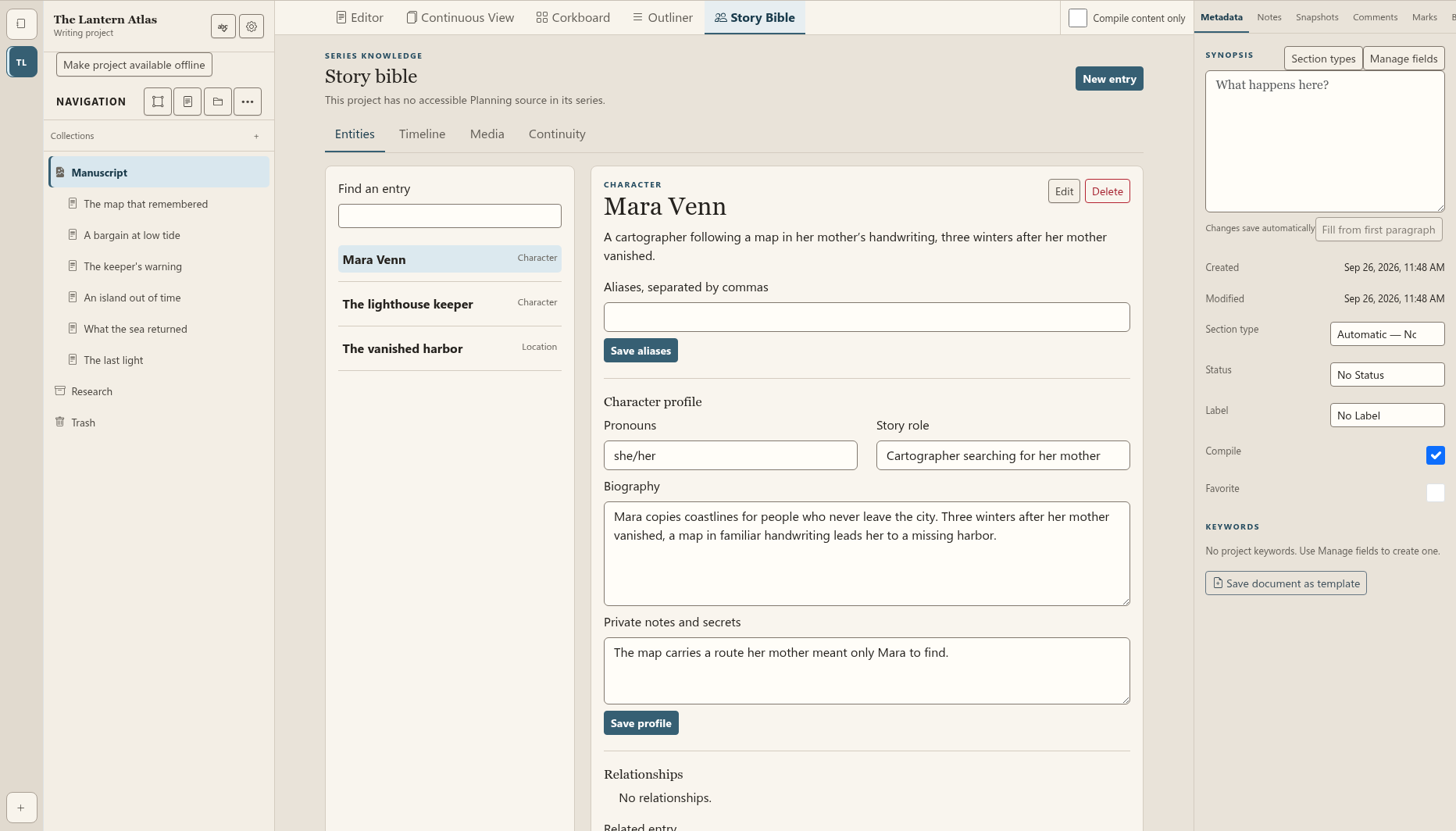
Give characters, places and story details a home. Keep a character's history and private notes beside the manuscript, ready when a scene calls for them.
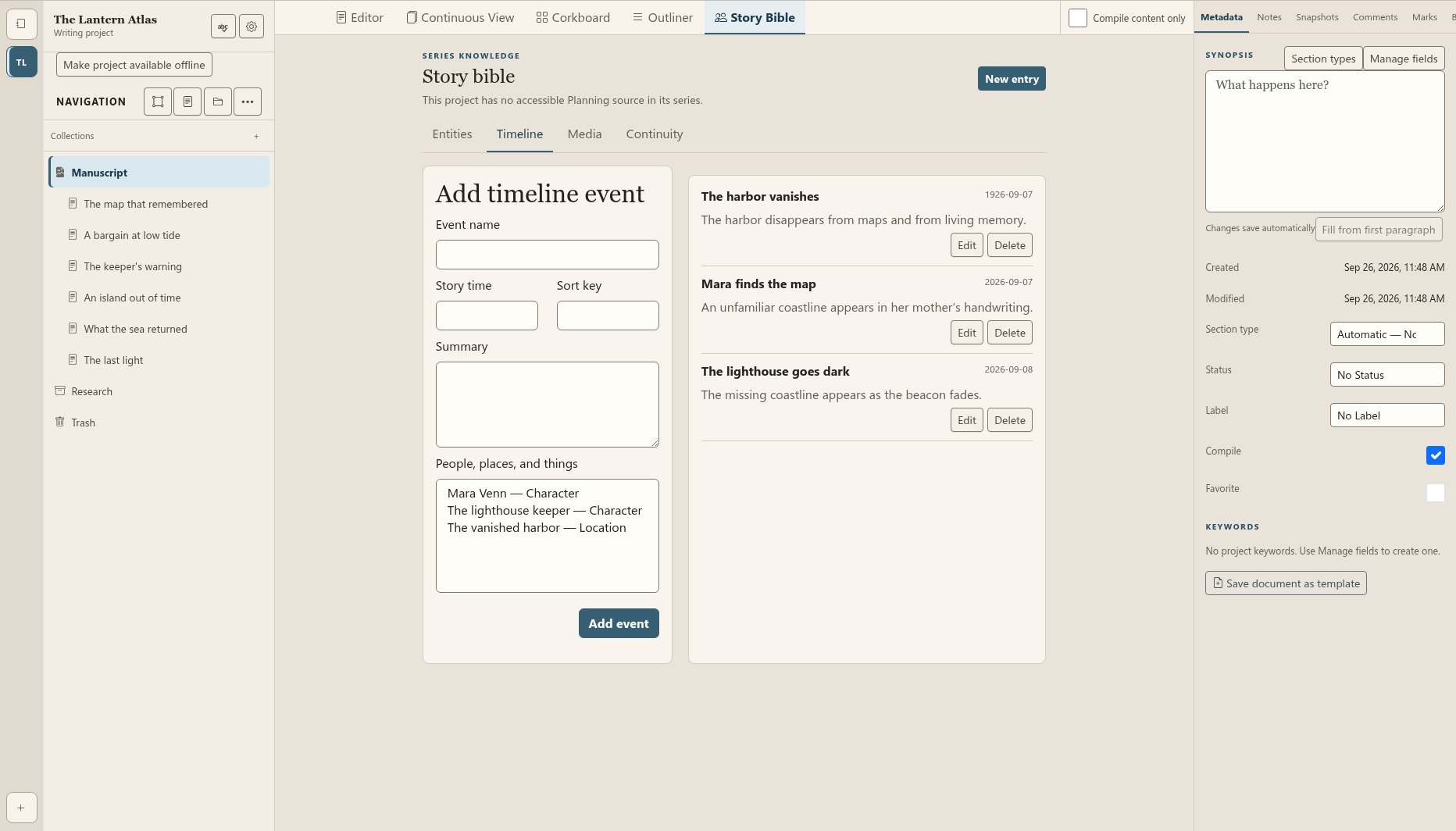
Record what happened and when—from a disappearance a century ago to the knock thirteen seconds after the lights go out.
Use revision and comment tools to understand what changed and what still needs attention. Your next review starts with the work, not a search through messages.
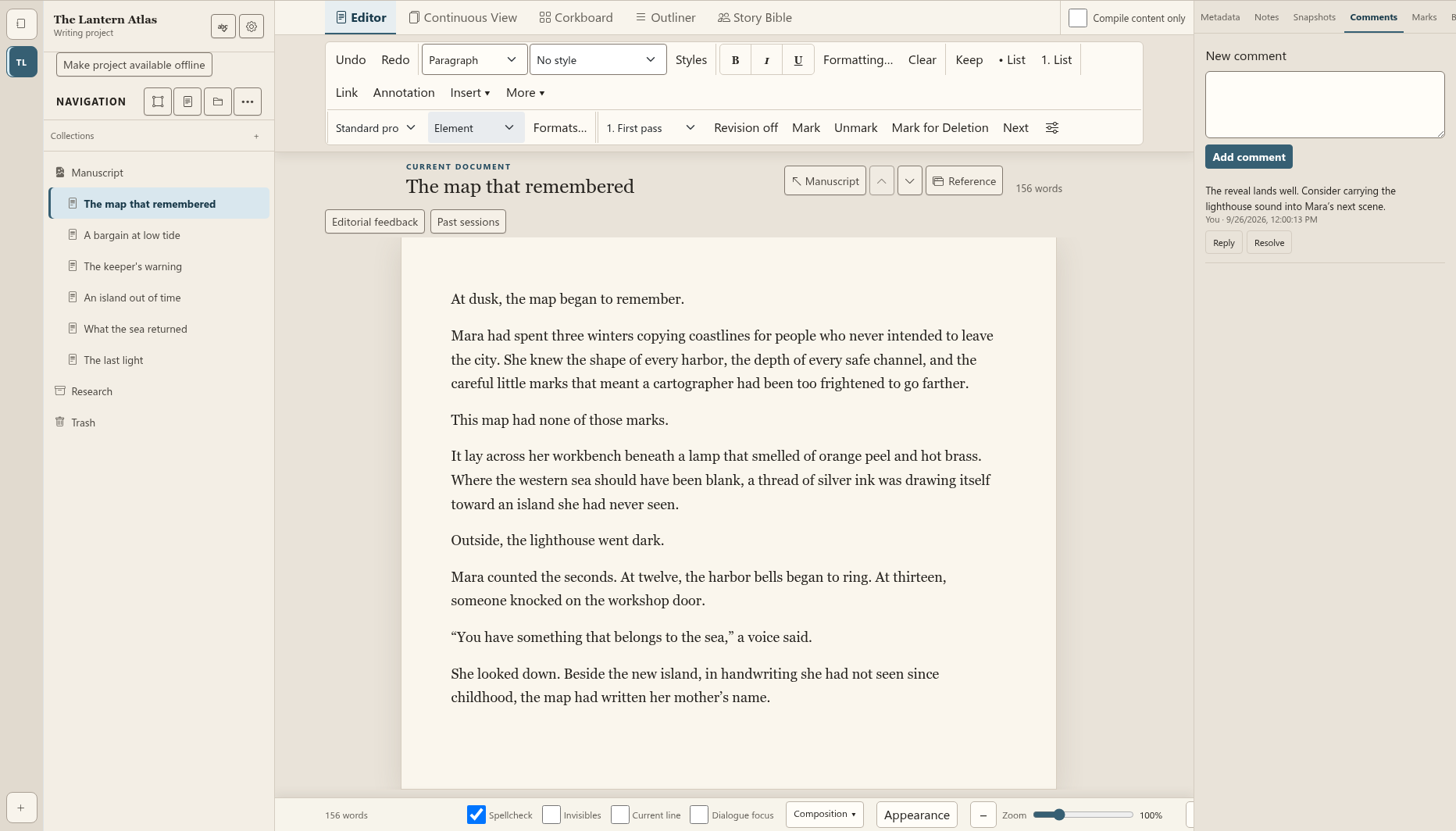
Actual prerelease screens, captured on September 26, 2026 using an original sample manuscript. Select an image to inspect the full-size view. These demonstrate writing, planning, story-bible records, timelines and comments. Book production is still being qualified.
Make revision a conversation
Give collaborators access to the projects you choose. Keep comments beside the draft, reply to a question and resolve it when the work is done. Compare saved revisions to see how a passage evolved.
Optional AI offers proposals for your review. You choose what belongs in the manuscript.
Drafting, planning, story-bible records and revision tools are available in the prerelease workspace. Extended book production is still being qualified.
Explore the writing toolsReview ownership and policiesBuild your writing practice
Start free with one project. Authoring is $10 a month or $100 a year; Pro is $19 a month or $190 a year. Add collaboration for $5 a month or $50 a year. AI is optional.
Compare plans and creditsThe next chapter starts here
Bring the outline, the unfinished scene and the details you cannot afford to forget.
Explore account setupReview pricing first